
Part 6: Getting Input Working, and a First Look at What This Machine Can Do
With Batocera installed and storage sorted in Parts 4 and 5, it was finally time to actually play something.
This part covers getting both controllers working properly, setting up on-screen performance monitoring so I’ve got real numbers to work with going forward, and a first pass of baseline testing before the dedicated PS3 and Xbox 360 deep-dive in Part 7.
The Controllers
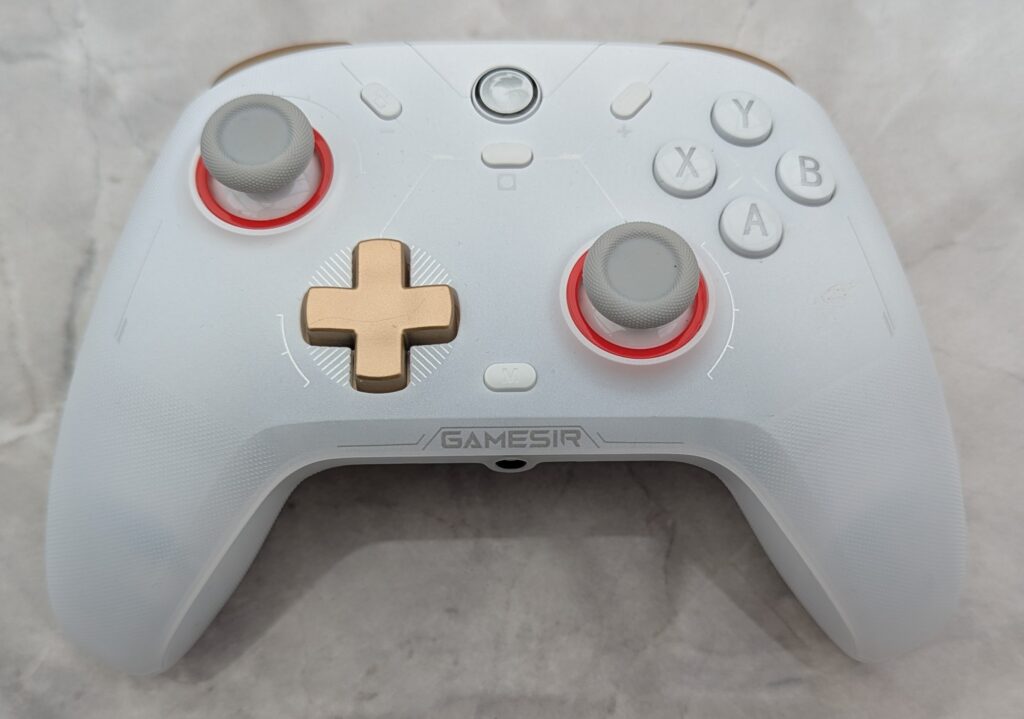
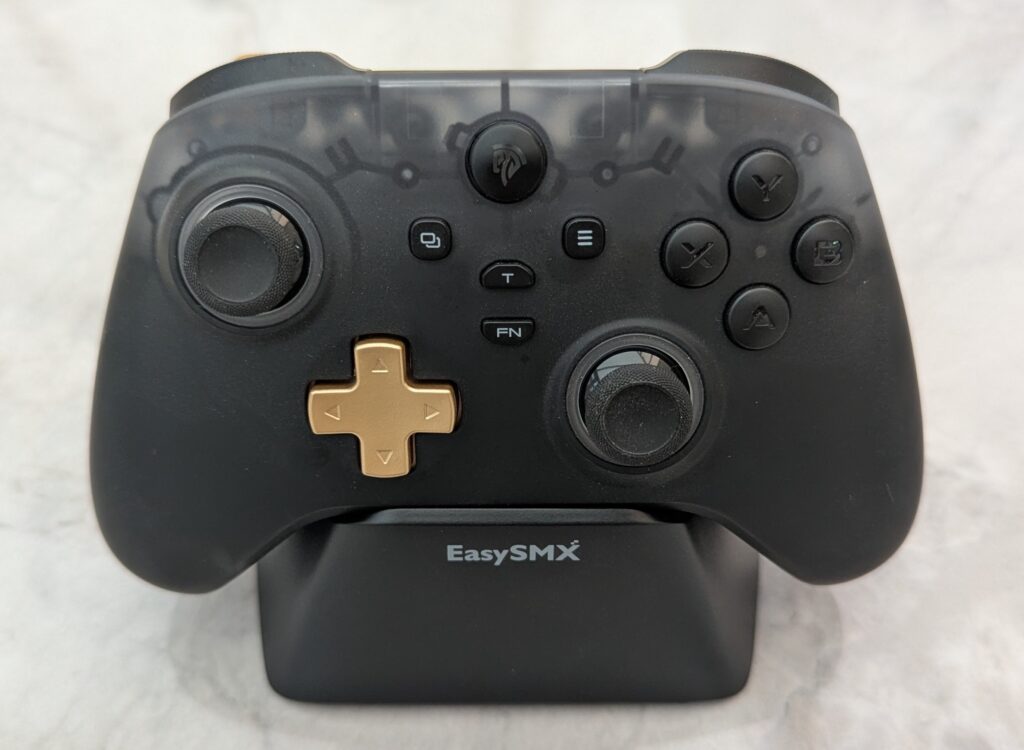
For this build I’m using two controllers: a GameSir Cyclone 2 and an EasySMX D05.
GameSir Cyclone 2
The Cyclone 2 isn’t on Batocera’s officially documented controller list, but in practice it paired and worked immediately in Batocera — genuinely plug and play, no manual mapping needed at this stage.
Check the current price and availability on Amazon UK.
Affiliate Disclosure: This post contains Amazon affiliate links. If you purchase a product through one of these links, I may earn a small commission at no additional cost to you. I only recommend products that I have personally used or believe are worth considering.
EasySMX D05
The EasySMX paired and mapped without any fuss in Batocera — it’s actually detected and labelled as an Xbox 360 gamepad, which gets it picked up automatically with a sensible default button layout.
Check the current price and availability on Amazon UK.
Affiliate Disclosure: This post contains Amazon affiliate links. If you purchase a product through one of these links, I may earn a small commission at no additional cost to you. I only recommend products that I have personally used or believe are worth considering.
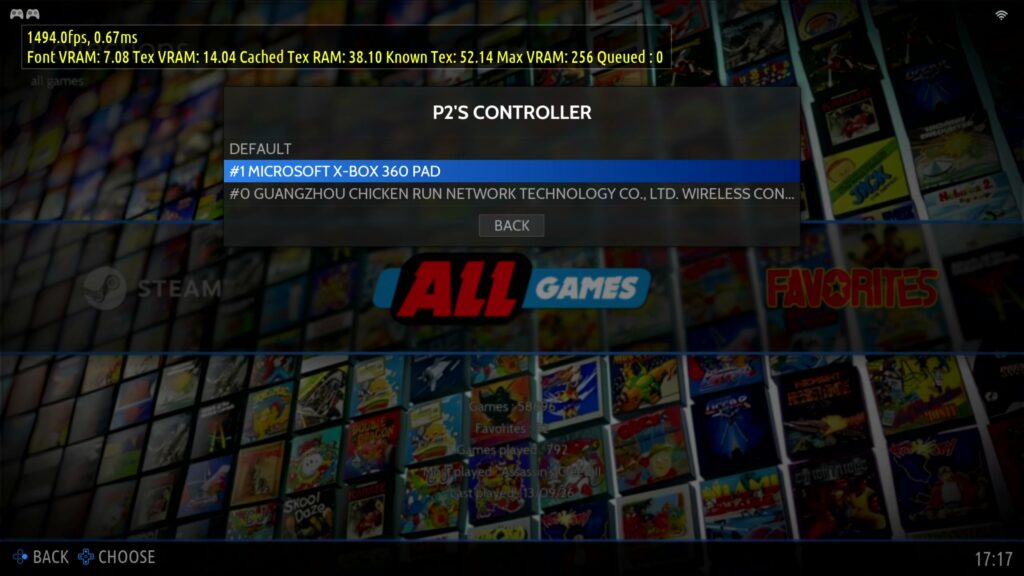
Both controllers being usable matters for later testing too — some of the heavier PS3 titles I’ll be covering in Part 7 support local co-op, and I wanted two working pads ready to go rather than sorting this out mid-session.
Setting Up On-Screen Performance Monitoring
Before doing any real testing, I wanted actual numbers on screen rather than judging performance by feel. Batocera has this built in, using MangoHud under the hood.
Quick option: System Settings → Frontend Developer Options → Show FPS Counter gives a bare FPS number, nothing else.
Full option: for FPS plus CPU/GPU load, temperatures and RAM, Game Settings → Decorations → Heads Up Display, set to Performance. This can be applied per-system or per-game, or made the default everywhere by SSHing in and adding global.hud=perf to /userdata/system/batocera.conf.
Once it’s active, a few useful hotkeys:
- Right Shift + F12 — toggle the HUD on/off without leaving the game
- Left Shift + F2 — toggle frame-time logging to a file, useful for comparing settings changes later
- Left Shift + F4 — reload the config live
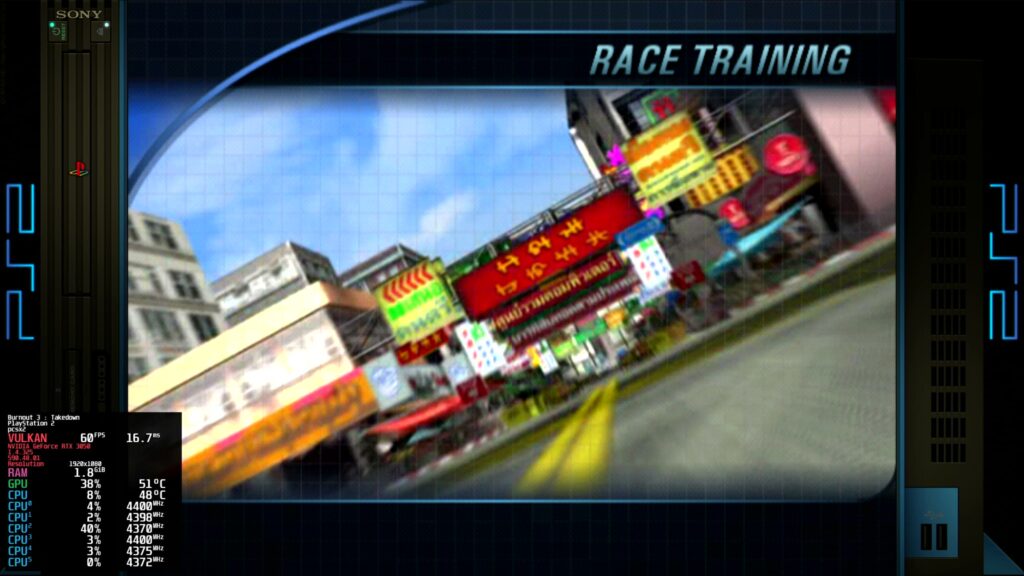
This global HUD covers RetroArch-based systems well, but it’s worth knowing upfront that it doesn’t reliably reach standalone emulators like RPCS3 — I’ll come back to that specifically below, since it turned out to matter for one of the controllers too.
Baseline Testing
With input and monitoring both sorted, I ran a first pass across the older, less demanding systems — PS2, GameCube, Dreamcast, and the usual arcade/retro range — mostly to confirm everything was configured correctly rather than to push the hardware.
Unsurprisingly, none of this troubled the i7-8700 or the RTX 3050 in the slightest. These systems are comfortably within reach of this hardware, and I don’t want to spend the word count on results that were never really in question.
The real test — PS3 and Xbox 360 — gets its own dedicated part next, where the CPU, GPU and PCIe bandwidth all actually start to matter.
Getting Both Controllers Working in RPCS3
Since some of the PS3 testing coming up in Part 7 needed both pads recognised specifically inside RPCS3 — not just Batocera’s front end — I set this up now rather than mid-testing later.
Both controllers needed some attention here, for different reasons.
The Cyclone 2 was recognised by RPCS3 without any handler changes, but unlike its plug-and-play behaviour in Batocera, it didn’t come through with a working default button layout — it needed manual button mapping inside RPCS3’s own pad configuration before it was actually usable.
The EasySMX D05 was a different problem entirely: despite Batocera itself correctly identifying it as an Xbox 360 gamepad, RPCS3’s own controller dropdown showed nothing for it at all.
The explanation for the EasySMX turned out to come down to how the two systems recognise controllers differently. Batocera bundles an extensive, community-built controller mapping database for EmulationStation, which is how it can label the EasySMX with a friendly, accurate name even though it isn’t a genuine Microsoft-licensed device. RPCS3, on the other hand, runs its own separate SDL runtime with SDL’s standard mapping database — and if a controller’s actual USB vendor/product ID isn’t in that database, RPCS3 simply won’t list it, regardless of what Batocera calls it.
The fix was switching RPCS3’s Player 2 handler from SDL to Evdev. Evdev reads the raw Linux input device directly rather than relying on any mapping database, so it sidesteps the whole problem. Once switched, the EasySMX showed up immediately.
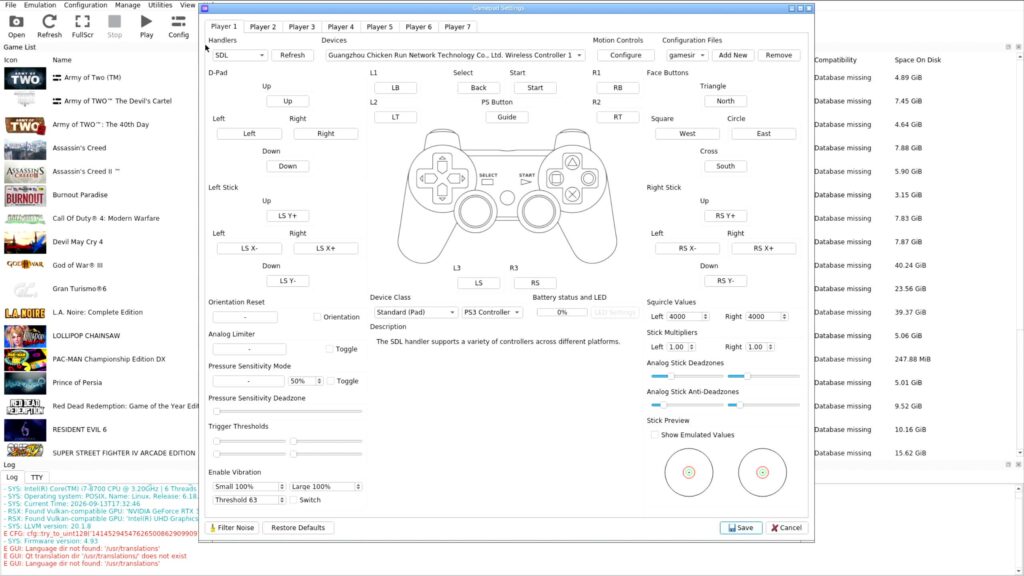
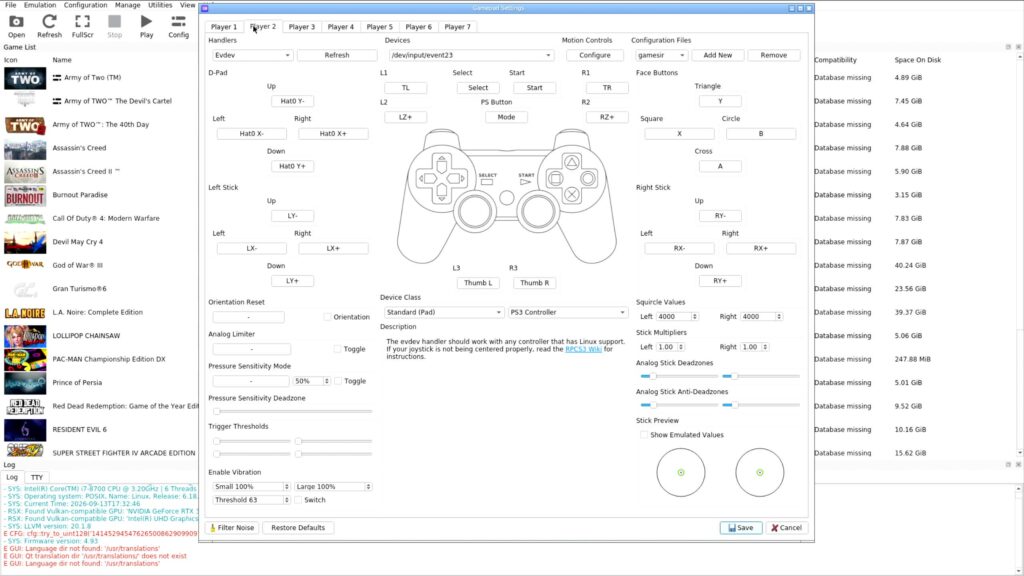
Worth remembering both of these generally: a controller working perfectly in Batocera doesn’t guarantee it’ll be instantly usable in a standalone emulator like RPCS3 — sometimes it just needs its buttons mapped manually, and sometimes, particularly for less mainstream or budget-friendly controllers, the handler itself needs switching to Evdev before it’s even visible.
RPCS3’s Own Performance Overlay
While setting up controllers inside RPCS3, it was also the natural point to sort out performance monitoring specifically for it, since — as mentioned above — Batocera’s global HUD doesn’t reliably reach standalone emulators.
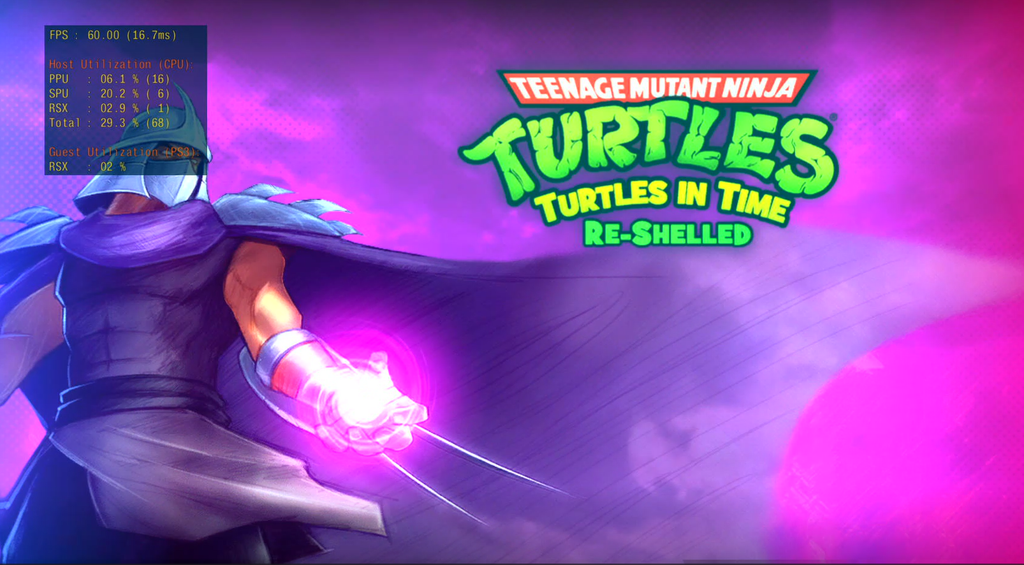
RPCS3 has its own built-in overlay, separate from MangoHud entirely: Settings → GPU tab → Performance Overlay. Turning this on and setting the detail level to Medium or High gives FPS, frame time, and — more usefully than a generic HUD — individual PPU, SPU and RSX thread load. Genuinely more useful for PS3 troubleshooting than a generic CPU/GPU number, since it shows exactly which subsystem is under pressure at any given moment.
Where the Build Stands Now
| Item | Status |
|---|---|
| GameSir Cyclone 2 | Plug and play in Batocera; needed manual button mapping in RPCS3 |
| EasySMX D05 | Plug and play in Batocera; required Evdev handler in RPCS3 |
| On-screen monitoring | Batocera performance HUD (RetroArch systems) + RPCS3’s native overlay (RPCS3 specifically) |
| Baseline systems (PS2, GameCube, Dreamcast, arcade) | Running well, no issues |
Both controllers are working everywhere I need them to, and I’ve got real performance data available across the board rather than having to guess at how anything’s actually running.
What’s Next?
Everything up to this point — the hardware, the OS, the storage, the controllers, the monitoring — has really been building toward one question: can this machine actually handle PS3 and Xbox 360 emulation properly?
Part 7 is where I find out, with real games, real settings, and the troubleshooting that came with getting some of the trickier titles running.
That’s next.